- Home Page /
- Electronics /
- Computer Accessories /
- Computer Accessories & Peripherals /
- Input Devices /
- Trackballs /
- ELECOM EX-G Trackball Mouse, 2.4GHz USB Wirel...
0 ratings





Item #:
3631581
ELECOM EX-G Trackball Mouse, 2.4GHz USB Wireless, Ergonomic Design, Thumb Control, Smooth Roller Ball, Optical Tracking, 6 Programmable Buttons, Tilt
Item #:
3631581
USD 49
Price Details
Excluding Shipping & Custom charges ( Shipping and custom charges will be calculated on checkout )
*All items will import from US
In stock
 Imported from USA store
QTY:
Order now and get it around Sunday, June 28
Secured transaction
Ubuy works hard to protect your security and privacy. Our advanced payment security system ensures confidentiality by encrypting your information during transmission using AES (Advanced Encryption Standards) and SSL (Secure Socket Layer) protocols. Your payment details are 100% secure as we do not share your payment details with third party sellers.
Our Top Logistics Partners


Experience superior movement and pin-point accuracy with our innovative wireless trackball mouse.

Fast
Shipping

Free
Return*

Secure Packaging

100% Original Products

PCI DSS Compliance

ISO 27001 Certified


Note: Step 1 Voltage Transformer required for using electronics products of US store (110-120). Recommended power converters Buy Now.


What Stands Out
Ergonomic Design
The ELECOM EX-G Trackball Mouse features an ergonomic design that reduces strain during long usage, ensuring comfort for both casual and professional users.
Thumb Control
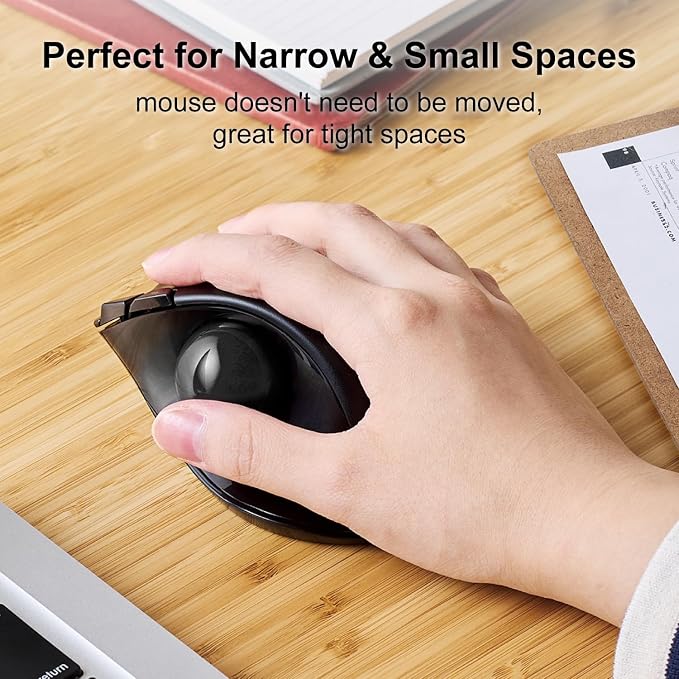
With its unique thumb control system, this mouse allows precise tracking with minimal movement, making it ideal for users with limited desk space or those seeking enhanced productivity.
Customizable Buttons
Equipped with six programmable buttons, users can tailor their experience, enhancing workflow and efficiency by assigning frequently used functions for quick access.
Product Details
- ✅《OPTICAL TRACKING TECHNOLOGY》The ELECOM trackball provides precise cursor movement for superior accuracy so you can get where you want on the screen quickly with less hand movement, improving productivity and efficiency.
- ✅《FUNCTIONAL 6 BUTTONS》It is very easy to move in any direction. It comes with 6 physical buttons on the device and the two extra buttons are the scrollwheel tilting that allow horizontal scroll.
- ✅《DPI CURSOR》Designed with a high-performance gaming optics system sensor and lens. The DPI button can easily change between 500(LOW) and 1500(HIGH) DPI, making the movements of your cursor faster or slower.
- ✅《EASY MAINTENANCE》The ball rolls on three 2.5 mm large artificial ruby ball bearings. They are extremely smooth and the relatively large size prevents dust and dirt from clogging them. So you don’t have to clean the ball bearings too often. The ball is held in place by the ball bearings, but can easily be popped out of the device, by pushing it through the hole in the bottom and it can be easily cleaned.
- ✅《PRODUCT DETAILS》System requirements: Windows 8, Windows 10, Windows 11 or later (Horizontal scrolling function is not working in Windows RT8.1), macOS 10.10 later, Size: W3.7"(94.7mm) X L4.9"(124.4mm) X H1.9"(47.9mm), Weight: 4.5oz(without battery), DPI: 750/1500 count (switchable), Connectivity: wireless, 1 X AA battery(Included)- Battery Remaining Light Lamp equipped.
| Connectivity Technology | USB |
| Additional Features | 4 Way Scrolling, Ergonomic Design, Programmable Buttons, Wireless |
| Movement Detection | Optical |
| Button Quantity | 6 |
| Hand Orientation | Right |
| Compatible Devices | Laptop, Personal Computer |
| Operating System | Windows 10, Windows 7, Windows 8.1, Windows Vista |
| Number of Batteries | 1 AAA batteries required. |
| Hardware Platform | Laptop, PC |
| Power Source | Battery Powered |
| Mouse Maximum Sensitivity | 1500 Dots per Inch (3810 cm) |
| Minimum Required Operating System Version | Windows 10 |
| Range | 10.0 meters |
| Color | Right Handed |
| Style Name | Wireless_BlackBall |
| Theme | Versatile |
| Enclosure Material | Plastic |
| Finish | Matte |
| Brand | ELECOM |
| Model Name | EX-G |
| Antenna Location | Creative Software, Home, Office, School, Video/Photo Editing, Work |
| Model Number | M-XT3DRBK |
| Built-In Media | English manual, Japanese manual, Receiver, Trackball mouse |
| Are Batteries Included | No |
| Are Batteries Required | Yes |
| Manufacturer | ELECOM |
| Global Trade Identification Number | 04953103473683 |
| Mfr Part Number | M-XT3DRBK |
| Item Type Name | ELECOM 2.4GHz Wireless Thumb-operated Trackball Mouse, 6-Button Function with Smooth Tracking, Precision Optical Gaming Sensor (M-XT3DRBK) |
| Item Weight | 0.44 Pounds (200 grams) |
| Item Dimensions L x W | 4.9"L x 3.7"W (12.4 cm) |
| Special Feature | 4 Way Scrolling, Ergonomic Design, Programmable Buttons, Wireless |
| Movement Detection Technology | Optical |
What's in the box
Trackball mouse
Receiver
English manual
Japanese manual
Who Should Buy?

-
Writers & Editors
Ideal for long hours of use, providing comfort and reducing strain on the wrist while typing and navigating.
-
Graphic Designers
Favors precise movements required in graphic design applications, enhancing control over tasks like image editing.
-
Gamers
Equipped with programmable buttons, beneficial for gamers needing quick access to commands during competitive gameplay.

-
Casual Users
May be more complex than necessary for users who engage in basic computer tasks occasionally.
-
High-Speed Gamers
Trackball may not provide the rapid response time needed for fast-paced action games, leading to performance issues.
-
Traveling Professionals
Less portable compared to traditional mice, making it inconvenient for users who frequently travel with their laptops.
Product Description
About This Item
Introducing the エレコム マウス ワイヤレス レシーバー付属 トラックボール 6ボタン ブラック M-XT3DRBK, a versatile and ergonomic wireless mouse designed to enhance your productivity and comfort. Experience the perfect blend of precision and control with the 6-button trackball mouse. Whether you're navigating through spreadsheets or editing creative projects, the advanced trackball technology ensures smooth and accurate cursor movement without the need for a traditional mouse pad. This popular エレコム ワイヤレス マウス offers easy setup and connectivity options, allowing you to seamlessly integrate it into your existing workstation. Its sleek black design adds a touch of sophistication to your desk while providing a comfortable grip for extended use. Discover the convenience and durability of this エレコム トラックボール マウス.
Its ergonomic design and customizable settings make it a top choice for users seeking a reliable and easy-to-use wireless mouse. Whether you're new to trackball mice or a long-time enthusiast, this model is designed to enhance your workflow. Upgrade to the エレコム マウス ワイヤレス レシーバー付属 トラックボール 6ボタン ブラック M-XT3DRBK and experience a new level of precision, comfort, and efficiency in your daily tasks.
Have any Query? Chat with us
Customer Questions & Answers
-
Question:
What is the ergonomic design of the ELECOM EX-G Trackball Mouse?
Answer: The ergonomic design of the ELECOM EX-G Trackball Mouse provides comfort for prolonged use, reducing strain on your wrist and hand. Its thumb-controlled trackball allows for easy navigation without the need to move your entire hand, making it ideal for heavy computer users, graphic designers, and gamers. This design supports a natural hand position, which can alleviate discomfort associated with traditional mice. -
Question:
How does the 2.4GHz wireless connectivity enhance the user experience?
Answer: The 2.4GHz wireless connectivity of the ELECOM EX-G Trackball Mouse ensures a stable and reliable connection. This wireless feature allows you to move freely without being tethered to your computer, providing a clean, clutter-free workspace. Additionally, the effective range allows for on-the-couch usage, making it suitable for presentations or casual browsing. -
Question:
What kind of tracking does the ELECOM EX-G Trackball Mouse offer?
Answer: The ELECOM EX-G Trackball Mouse features optical tracking technology, which delivers precise cursor control and responsiveness. This is ideal for tasks requiring accuracy, such as graphic design or video editing. The smooth roller ball further enhances the tracking experience, allowing for effortless scrolling and navigation. -
Question:
Can the buttons on the ELECOM EX-G Trackball Mouse be customized?
Answer: Yes, the ELECOM EX-G Trackball Mouse comes with six programmable buttons that can be customized according to your preferences. This flexibility allows you to set shortcuts for frequently used functions or software, increasing your productivity. Such customization is particularly beneficial for gamers or professionals who rely on specific commands in their work. -
Question:
What is the purpose of the thumb control feature?
Answer: The thumb control feature of the ELECOM EX-G Trackball Mouse enables intuitive navigation using your thumb, which helps prevent wrist movement. This design is perfect for reducing fatigue during extended use, making it suitable for graphic designers, software developers, and anyone who spends significant time on a computer. It allows for quick access to functions while maintaining comfort. -
Question:
What are the key benefits of using a trackball mouse compared to a traditional mouse?
Answer: Using a trackball mouse like the ELECOM EX-G can offer several advantages over a traditional mouse. Trackball mice allow for a stationary hand position, helping to reduce wrist strain. They also provide precision in movement, especially for tasks involving fine control, such as CAD and design work. This can lead to improved efficiency for professionals and casual users alike. -
Question:
How does the smooth roller ball enhance usability?
Answer: The smooth roller ball of the ELECOM EX-G Trackball Mouse ensures effortless scrolling and navigation across documents and web pages. This feature allows for quicker access to content without the need for finger fatigue associated with traditional scroll wheels. It’s particularly beneficial for users who browse large spreadsheets, web pages, or long documents frequently. -
Question:
Is the ELECOM EX-G Trackball Mouse compatible with all operating systems?
Answer: The ELECOM EX-G Trackball Mouse is designed to be compatible with various operating systems, including Windows and macOS. This broad compatibility allows users on different platforms to enjoy its ergonomic features and programmable capabilities without the need for additional drivers. It's perfect for mixed-environment offices or home setups that use multiple operating systems. -
Question:
Can I use the ELECOM EX-G Trackball Mouse for gaming?
Answer: Yes, the ELECOM EX-G Trackball Mouse is suitable for gaming, especially genres that require precision and quick reflexes, such as strategy or simulation games. Its programmable buttons can be assigned to in-game commands, enhancing gameplay efficiency. Gamers who prefer alternative mouse styles will find this trackball a unique and effective option. -
Question:
Where can I buy the ELECOM EX-G Trackball Mouse in Turks and Caicos?
Answer: You can purchase the ELECOM EX-G Trackball Mouse on Ubuy in Turks and Caicos. They offer a convenient online shopping experience, where you can find a wide variety of electronics including this ergonomic trackball mouse, making it an accessible option for your needs.
ELECOM Trackballs M-XT3DRBK Editorial Review


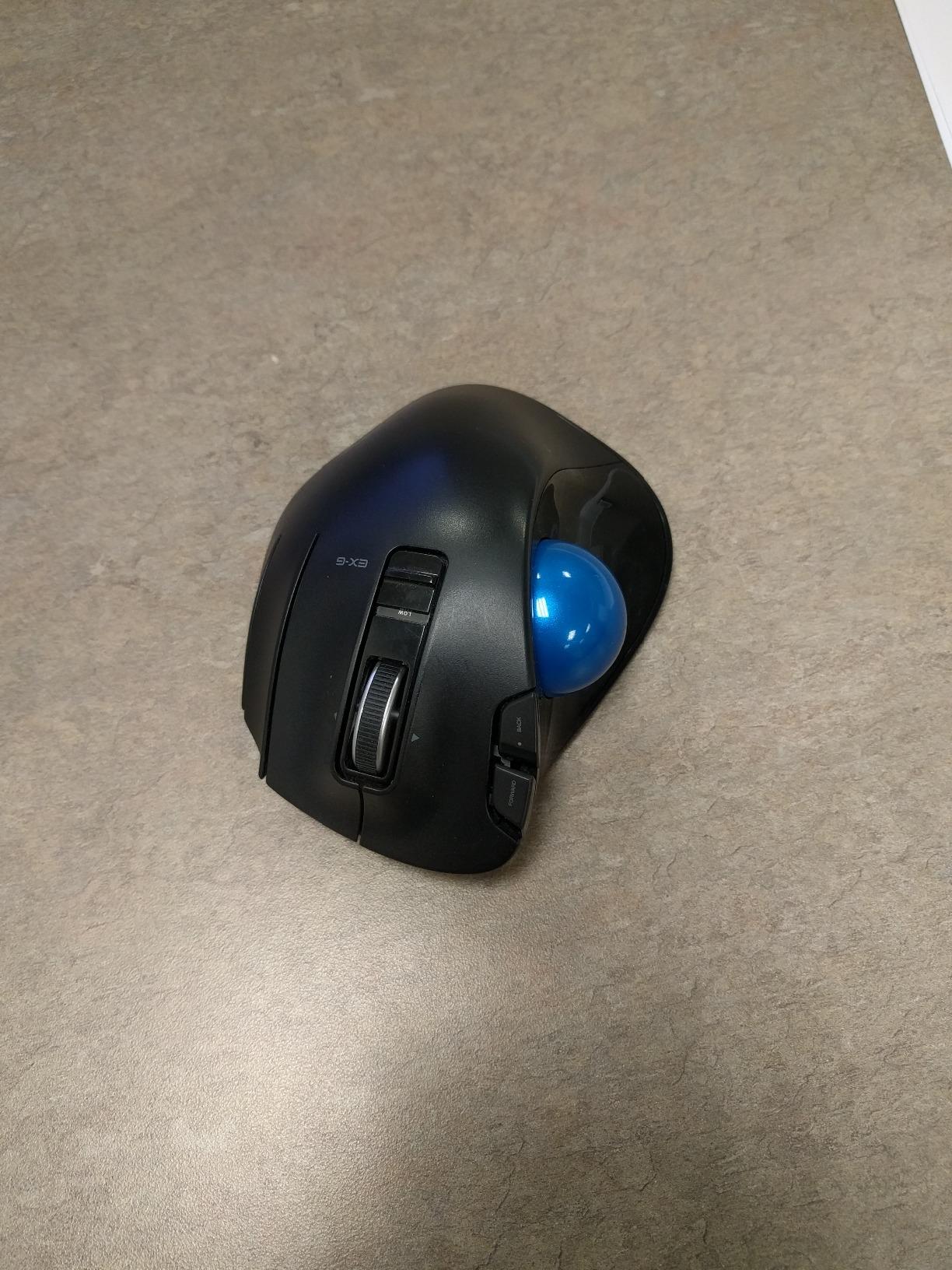


The Elecom EX-G trackball mouse performs well with a few reported issues such as sticky index finger button and occasional sticking of the trackball. The mouse has a good battery life, and high DPI can be adjusted as desired. The page forward/page backward buttons work well, and the mouse operates silently. Users with large monitors found this trackball mouse more accurate and faster than standard trackballs. Some users found it uncomfortable and difficult to use for everyday business purposes, and the quality of the mouse has come under fire. Overall, the Elecom EX-G trackball mouse is a good ergonomic mouse with good battery life, though some users have reported quality issues.
Customer Reviews & Ratings
9499 customers ratings
-
5 Star
61%
-
4 Star
16%
-
3 Star
10%
-
2 Star
5%
-
1 Star
8%
Review this product
Share your thoughts with other customers
Pros
- Accurate and fast on large monitors
- Left and right buttons and page forward/page backward buttons work well
- Operates silently
- Good battery life
Cons
- Sticky index finger button
Product Price History
Important information
- Limitations : For products shipped internationally, please note that any manufacturer warranty may not be valid; manufacturer service options may not be available; product manuals, instructions, and safety warnings may not be in destination country languages; the products (and accompanying materials) may not be designed in accordance with destination country standards, specifications, and labeling requirements; and the products may not conform to destination country voltage and other electrical standards (requiring use of an adapter or converter if appropriate). The recipient is responsible for assuring that the product can be lawfully imported to the destination country. When ordering from Ubuy or its affiliates, the recipient is the importer of record and must comply with all laws and regulations of the destination country.
- Not all the products listed on Ubuy are for sale, as Ubuy is a global search engine. Products are subject to export/trade regulations.
USD 49
Order now and get it around Sunday, June 28
This item is not restrict in my country.(Please click on above link if this item is not restrict in your country, So our team will review and allow.)
QTY:
Secured transaction
Ubuy works hard to protect your security and privacy. Our advanced payment security system ensures confidentiality by encrypting your information during transmission using AES (Advanced Encryption Standards) and SSL (Secure Socket Layer) protocols. Your payment details are 100% secure as we do not share your payment details with third party sellers.
Our Top Logistics Partners
Fastest cross-border delivery
Features & Benefits
- Innovative wireless mouse with precision optical sensor.
- Thumb trackball offers superior movement and accuracy.
- Ergonomic design enhances comfort for hand and wrist stability.
- 6 customizable buttons for key binding in gaming and web surfing.
- Adjustable resolution of 750/1500 for tailored responsiveness.
- Robust 2.4 GHz wireless connectivity mimics wired performance.