0 ratings






Item #:
28114428
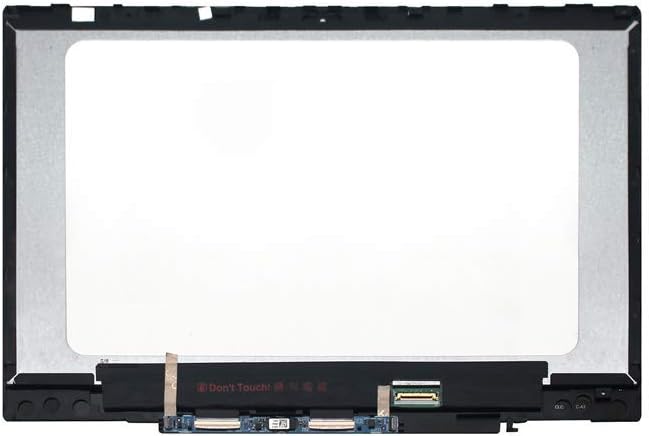
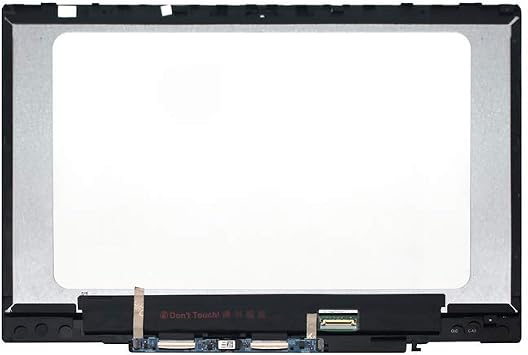
LCD Touch Screen Replacement for HP Pavilion X360 14-CD 14M-CD 14T-CD 14M-CD0003DX 14M-CD0001DX 14M-CD0005DX 14M-CD0006DX L20554-001 L20551-001
Item #:
28114428
USD 135
Price Details
Excluding Shipping & Custom charges ( Shipping and custom charges will be calculated on checkout )
*All items will import from US
0 ratings
Write a review
In stock
 Imported from USA store
QTY:
Only 12 items left in stock.
Order now and get it around Sunday, July 05
Secured transaction
Ubuy works hard to protect your security and privacy. Our advanced payment security system ensures confidentiality by encrypting your information during transmission using AES (Advanced Encryption Standards) and SSL (Secure Socket Layer) protocols. Your payment details are 100% secure as we do not share your payment details with third party sellers.
Our Top Logistics Partners


Upgrade your device with our 14 inch Touch LCD Screen featuring a stunning 1920 x 1080 resolution.

Fast
Shipping

Free
Return*

Secure Packaging

100% Original Products

PCI DSS Compliance

ISO 27001 Certified


Note: Step 1 Voltage Transformer required for using electronics products of US store (110-120). Recommended power converters Buy Now.


What Stands Out
High-Resolution Display
Experience vibrant visuals with a Full HD resolution, enhancing viewing for streaming, gaming, and productivity tasks.
Complete Assembly
Includes all necessary components for a hassle-free replacement, ensuring quick installation without additional parts or tools required.
Universal Compatibility
Designed to fit various HP Pavilion X360 models, offering a reliable solution for multiple users with compatible devices.
Product Details
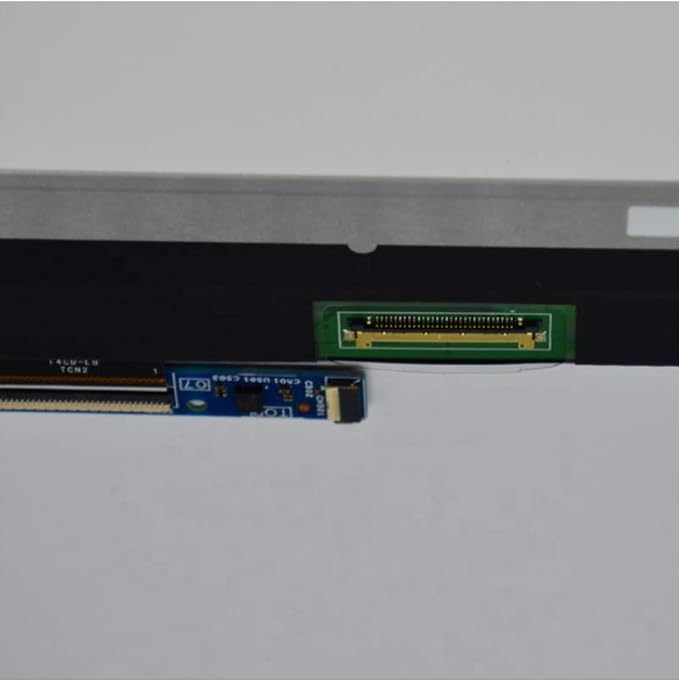
- Brand-new replacement LCD screen with touch digitizer glass, bezel, and touch control board
- 14.0 inch display with 1920*1080 max resolution (compatible for 1366*770)
- Compatible with HP Pavilion X360 14-CD 14M-CD 14T-CD series, P/N: L20553-003
- Supports stylus and has been tested before shipping
- Shipping from China, buyers may need to pay duties and importation fees
- LCD screens may have 1-5 dead pixels as per ISO standards
| Product Dimensions (L x W x H) | 17.34 x 12.2 x 2.58 inches (44 x 31 x 6.6 cm) |
| Item Weight | 1.37 pounds (620 grams) |
| Manufacturer | FIRSTLCD |
| Item model number | Pavilion X360 14-CD 14M-CD 1T-CD |
| Date First Available | July 16, 2020 |
Who Should Buy?

-
DIY Repair Enthusiasts
Users comfortable with disassembling laptops and replacing screens will benefit from this easy-to-install touch screen replacement.
-
Budget-Conscious Users
Individuals seeking an affordable repair option for their HP Pavilion X360 without needing to buy a new laptop.
-
Students and Professionals
Students and professionals relying on their HP Pavilion X360 for work will find this replacement crucial for continued productivity.

-
Non-Technical Users
Users lacking technical skills may struggle with installation and may rather prefer professional assistance for replacements.
-
Alternate Model Owners
People with different laptop models not compatible with this specific screen assembly will not find this product useful.
-
Short Warranty Seekers
Users wanting extensive manufacturer warranties may find third-party replacements less reliable than official service options.
Product Description
About This Item
Upgrade your HP Pavilion X360 with the FIRSTLCD LCD Touch Screen Replacement. Specifically designed for the 14-CD 14M-CD 14T-CD models, this assembly includes the L20554-001 LCD, L20551-001, L18192-001, and L20552-001 LED display digitizer. With a brilliant 14-inch FHD LED screen, you can enjoy clear visuals and vibrant colors with every use.
Say goodbye to cracks, dead pixels, or unresponsive touch functions and bring your laptop back to life with this easy-to-install replacement. Trust FIRSTLCD for a seamless fit and high-quality performance. Replace your HP Pavilion X360 screen today and get back to enjoying your laptop's display as good as new.
Have any Query? Chat with us
Customer Questions & Answers
-
Question:
What is an LCD Touch Screen Replacement for HP Pavilion X360 14-CD series?
Answer: An LCD Touch Screen Replacement is a component specifically designed to replace the damaged or malfunctioning touch screen on HP Pavilion X360 14-CD, 14M-CD, and 14T-CD series laptops. This replacement part restores the touch-sensitive capabilities and visual display of your laptop, allowing you to interact seamlessly with your device. It is crucial for maintaining functionality, especially if you rely on touch gestures. Users typically replace this part after accidental drops, scratches, or water damage that disrupts touch sensitivity. -
Question:
How do I know if I need an LCD Touch Screen Replacement for my HP Pavilion X360?
Answer: You may need an LCD Touch Screen Replacement if your screen exhibits signs such as unresponsive touch areas, visible cracks, or flickering displays. Additionally, if you notice ghost touches where the screen registers inputs without your interaction, it's a strong indicator. Diagnosing these issues early can prevent complete screen failure and maintain your laptop's usability. If any of these symptoms occur, it's advisable to get the screen inspected to confirm replacement is necessary. -
Question:
Is it easy to install the LCD Touch Screen Replacement for HP Pavilion X360?
Answer: Installing the LCD Touch Screen Replacement can be straightforward for those with some technical skills in laptop repairs. However, it requires careful handling of sensitive components and a few basic tools. Typically, you would need to disassemble the laptop casing, detach the old screen, and connect the new one. There are various online tutorials available that can guide you step-by-step. If you're unsure, hiring a professional technician could ensure a proper installation without risking additional damage. -
Question:
What tools do I need to replace the LCD Touch Screen on my HP Pavilion X360?
Answer: To replace the LCD Touch Screen, you generally need a few specific tools: a Phillips screwdriver, a plastic pry tool, and possibly an anti-static wrist strap to prevent static damage. These tools will help you safely open the casing and detach the old screen without damaging surrounding components. If you're not familiar with laptop disassembly, watching video guides can provide additional context and enhance your confidence during the process. -
Question:
Can I use a third-party LCD Touch Screen Replacement for my HP Pavilion X360?
Answer: Yes, you can use a third-party LCD Touch Screen Replacement, but it's essential to ensure that the part is compatible with your specific model. Look for reputable brands that provide detailed specifications and warranty information. Genuine parts often guarantee better quality and longevity, while third-party options can sometimes offer cost savings. Perform thorough research and read user reviews to make an informed decision based on reliability and performance. -
Question:
What are the benefits of replacing the LCD Touch Screen on my HP Pavilion X360?
Answer: Replacing the LCD Touch Screen can significantly enhance your laptop's performance by restoring touch functionality and visual clarity. A new screen can improve the overall aesthetics and prevent further damage that could lead to more extensive repairs. Additionally, this replacement can extend the lifespan of your device, ensuring that you can continue to use it efficiently for various activities like work, gaming, and entertainment. -
Question:
How can I ensure I purchase the correct LCD Touch Screen Replacement?
Answer: To ensure you purchase the right LCD Touch Screen Replacement, check your laptop's model number, which can usually be found on a sticker beneath the device or in the system settings. Cross-reference this number with the product details of the replacement part. It's also advisable to purchase from authorized retailers or websites that specialize in laptop parts to avoid compatibility issues, ensuring a smooth installation process. -
Question:
What is the warranty policy for the LCD Touch Screen Replacement?
Answer: Most manufacturers offer a warranty on their LCD Touch Screen Replacement parts, which can range from a few months to a year, depending on the brand. The warranty typically covers defects in materials and workmanship, but not customer-induced damage like cracks from drops. Before purchasing, review the warranty terms to understand what is covered. Having a warranty can provide peace of mind, should you encounter issues after installation. -
Question:
Where can I buy an LCD Touch Screen Replacement for HP Pavilion X360?
Answer: You can buy an LCD Touch Screen Replacement for the HP Pavilion X360 series at Ubuy. They offer a wide selection of compatible parts with varying specifications, ensuring you find the right fit for your model. Ubuy provides a convenient online shopping experience, and you can also benefit from customer reviews and product ratings to guide your purchase decision. Their reliable shipping options make it easier to receive your replacement quickly and efficiently. -
Question:
What should I do if the new LCD Touch Screen does not work after installation?
Answer: If the new LCD Touch Screen does not function after installation, first double-check all connections to ensure everything is securely plugged in. Sometimes, a loose cable can prevent the screen from responding. If everything appears to be correctly connected and the screen still doesn't work, consult the warranty information for potential returns or exchanges. It may also be helpful to seek guidance from a professional technician who can diagnose any underlying issues.
FirstLCD Replacement Screens Pavilion X360 14-CD 14M-CD 1T-CD Editorial Review
After analyzing customer feedback, the FIRSTLCD LCD Touch Screen Replacement for HP Pavilion X360 received mixed reviews. Some customers were satisfied with the product, stating that it was easy to install and worked perfectly with their laptop. They appreciated the included tools that made the installation process easier. Others were particularly impressed with the touch screen functionality, noting that it was responsive and worked just as well as the original screen. However, many customers experienced issues with the replacement screen. Some reported that the color quality was not as good as the original, or that the screen was too dim or too bright. Others had issues with the touch screen functionality, stating that it was not as responsive as they expected. Overall, the FIRSTLCD LCD Touch Screen Replacement for HP Pavilion X360 may be a hit or miss product – it may work perfectly for some, while others may experience issues with the screen quality or touch functionality.
Customer Reviews & Ratings
29 customers ratings
-
5 Star
66%
-
4 Star
14%
-
3 Star
0%
-
2 Star
0%
-
1 Star
20%
Review this product
Share your thoughts with other customers
Pros
- Easy to install
- Responsive touch screen
- Comes with tools for installation
Cons
- Color quality may not be as good as the original
Product Price History
Important information
- Limitations : For products shipped internationally, please note that any manufacturer warranty may not be valid; manufacturer service options may not be available; product manuals, instructions, and safety warnings may not be in destination country languages; the products (and accompanying materials) may not be designed in accordance with destination country standards, specifications, and labeling requirements; and the products may not conform to destination country voltage and other electrical standards (requiring use of an adapter or converter if appropriate). The recipient is responsible for assuring that the product can be lawfully imported to the destination country. When ordering from Ubuy or its affiliates, the recipient is the importer of record and must comply with all laws and regulations of the destination country.
- Not all the products listed on Ubuy are for sale, as Ubuy is a global search engine. Products are subject to export/trade regulations.
USD 135
Order now and get it around Sunday, July 05
This item is not restrict in my country.(Please click on above link if this item is not restrict in your country, So our team will review and allow.)
QTY:
Only 12 items left in stock.
Secured transaction
Ubuy works hard to protect your security and privacy. Our advanced payment security system ensures confidentiality by encrypting your information during transmission using AES (Advanced Encryption Standards) and SSL (Secure Socket Layer) protocols. Your payment details are 100% secure as we do not share your payment details with third party sellers.
Our Top Logistics Partners
Fastest cross-border delivery
Features & Benefits
- High-quality 14 inch Touch LCD Screen with bezel.
- Maximum resolution of 1920 x 1080; compatible with 1366 x 768.
- Includes LCD Display, Touch Digitizer, Bezel, and Touch Control Board.
- Ideal for HP Pavilion X360 models; check compatibility before purchasing.
- Shipping prices may not include customs duties and taxes.
- Note: Possible 1-5 dead pixels considered normal as per industry standards.